- Email:info@psycare.it
- WhatsApp: +39 375 703 9065
20 Feb
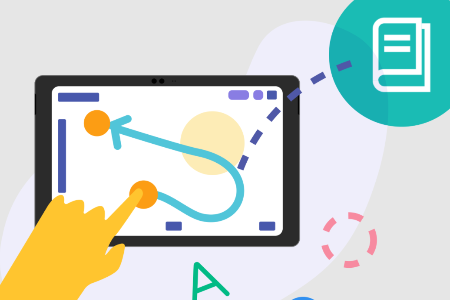
In PsyCare it is possible draw and upload images on a white sheet of paper, the so-called virtual blackboard, right during the session of psychotherapy online and save the work directly within PsyCare: the patient will be able to resume, if the therapist allows it, the work of the previous session for complete it independently.
Imagine the program Microsoft Paint (commonly used on PCs for drawing and writing) transported online during a session, where both the therapist and the patient can interact in real time: each sees the changes made by the other, which are automatically saved with each change. This is the virtual blackboard by PsyCare.
When both the therapist and the patient are both online, on the right side of the screen of their respective devices, they will both see virtual whiteboard icon (as in the following image).
By clicking on the icon  it will be possible:
- open a new virtual whiteboard
- Load the virtual whiteboard from the previous session (this feature will be available soon)
After logging into your personal virtual room, simply select the virtual whiteboard icon.
Further details on the virtual whiteboard features are available in the relevant Support section: “Therapist’s Virtual Whiteboard“
The virtual whiteboard in PsyCare is shared in real time between therapist and patient and allows both to take advantage of the available features.
As a therapist, you always see your patient at the top of the screen.
Additionally, a popup at the bottom of the board reminds you that “The virtual whiteboard is automatically saved with each change. You can always access it from the meeting attachment..”
On the left side of the virtual whiteboard, both the therapist and the patient can:
- click on
 <genogramma> to easily build a genogramma
- technique used by systemic psychotherapists in their work with families
- click on
 <select> to select an object on the board
 - click on
 <move> to scroll the virtual sheet in four directions (up, down, right and left)
 - click on
 <draw> to draw freehand in the color you set
- the patient can be given the option to freely use the digital sheet during the meeting
- click on
 <insert> to insert images from your device directly onto the virtual whiteboard
- introducing one or more images can be important to evaluate the patient’s emotional response
- click on
 <figure2D> to quickly draw an arrow, rectangle, square, circle or triangle
- even the forms have deep and diversified contents, which are often those mainly grasped by the subject in a more or less superficial way according to the capacity for self-understanding
- click on
 <trace line> to draw a line in the set color
 - click on
 <you write> to write a text on the virtual whiteboard
- to facilitate sharing to-do lists, points to reflect on, or insert sight words that can elicit an emotional response in therapy
- click on
 <remove> to delete the selected object
 - click on
 <changes color> to set the color for each of the available functions
- Anyone who gives the patient the opportunity to draw, sketch or simply uses this approach knows how important the colours chosen by the patient are.
At the top of the virtual whiteboard, both the therapist and the patient can:
- click on
 <un-do> to cancel the operation
 - click on
 <re-do*> to restore the operation (*the function is currently disabled)
 - click on
 <clean up> to clean the entire blackboard
 - click on
 <zoom +> to enlarge the section
 - click on
 <zoom –> to shrink the section
The therapist, in a completely exclusive way, can:
- click on
 To save the virtual whiteboard as an image on your device, identifying it with the date and time of the session, or in the format; the therapist also has the option of making the virtual sheet available to the patient at the end of the session.
 - decide whether to leave the virtual whiteboard open for the patient during the online session, even after it has concluded, for subsequent assessments regarding the activities the patient could undertake with it available.
Offering your patients the opportunity to take advantage of it will certainly be an advantage. It will bring benefits to therapy, which will not be constrained by the limitations often encountered online; it will make the encounter with the patient more fluid, who will be able to find the same activities online that were available in the office: setting online It will be as close as possible to the setting the patient was used to in the office.
The whiteboard that the therapist and patient have available on the platform during the online session can also be accessed afterward. The therapist can decide whether to enable or disable this feature for each patient at the end of the online session.
Therapist
The therapist has the ability to view and modify the whiteboards of each session and displays them:
– in the list of online sessions for each patient, where they have used them or made them available
– in the list of sessions of all patients, on the respective detail line, where you have used or made them available
Patient
Each patient will also have their own whiteboard (if shared) available in the session list and, depending on the settings the therapist defines, will be able to view or even modify it; it will be sufficient to:
– click on the respective icon  to open the virtual whiteboard (if made available by the therapist)
– click on the icon  to view or download the image (if made available by the therapist)
Remember: further details on the features available on the platform are available in the "Support" in PsyCare.

PsyCare for the Environment