If you can’t solve it, please write an email to help@psycare.it to contact support and help you resolve the problem.
Android
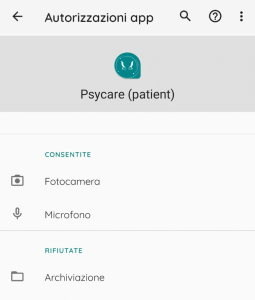
1. Access the Settings of your device and tap on Apps and notifications 2. Select the app PsyCare to do tap su Authorizations. 3. Make sure that Camera and Microphone are in the list of allowed permissions, as in the image below:
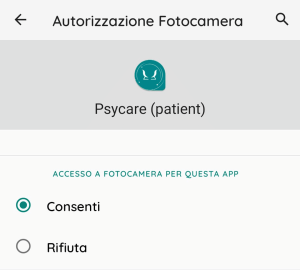
If this is not the case, allow access by tapping on Camera and Microphone, selecting the item Consent.