
In the PATIENTS section you will see the LIST PATIENTS in PsyCare: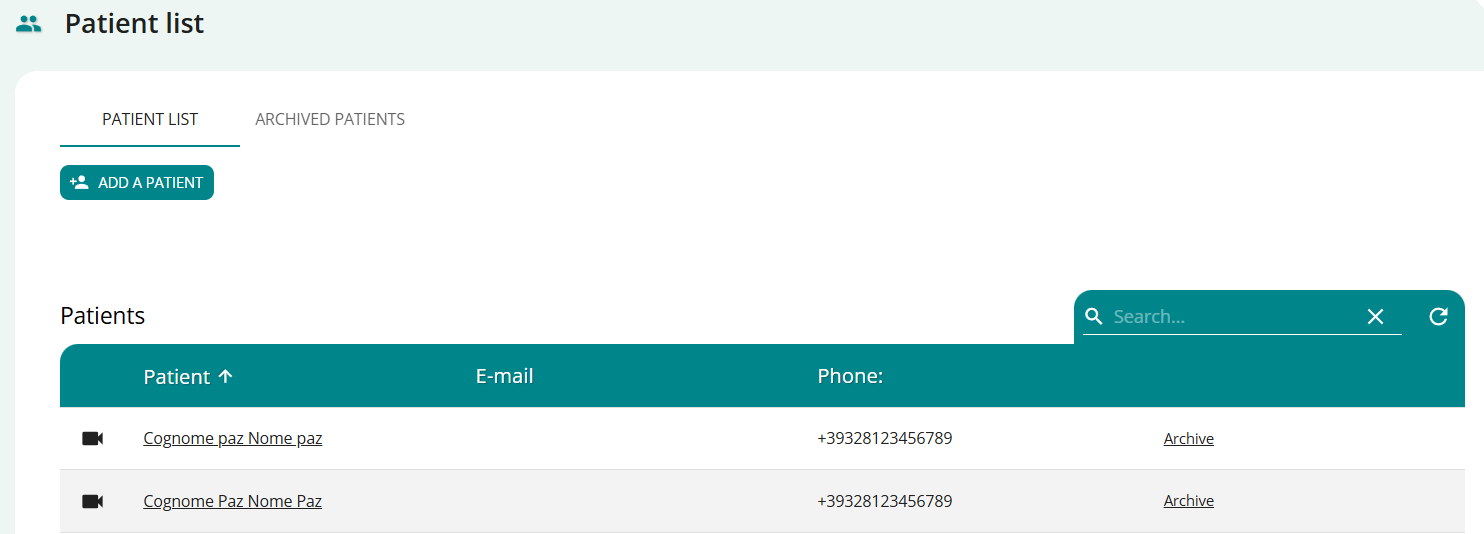
In your PATIENT LIST:
- Find the patient you are interested in in the list or search for them.
- Click on the PATIENT NAME and access that patient’s VIRTUAL MEDICAL RECORD.
View your available contacts and information about your status on the platform: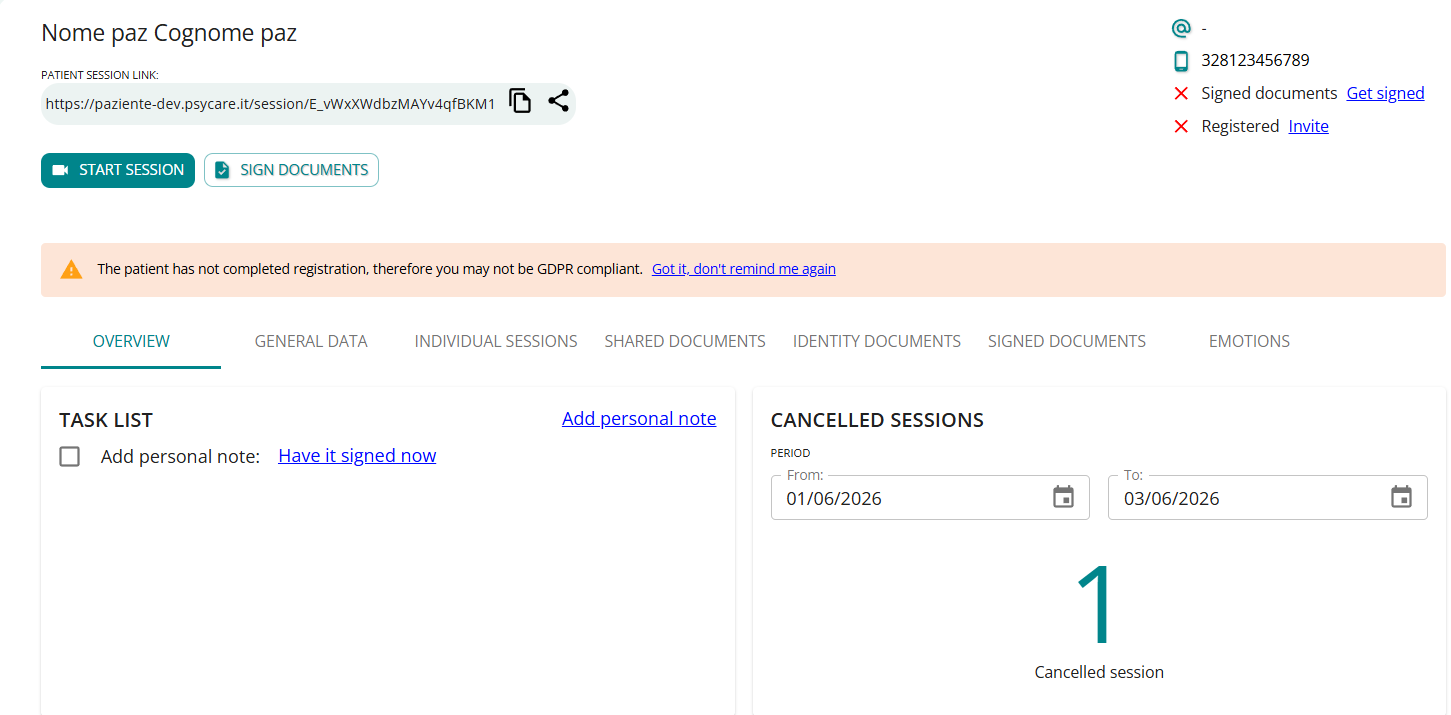
The following detailed information tabs are located in the patient profile:
- OVERVIEW
- GENERAL DATA, for your personal data sheet – which we will detail below.
- ONLINE SESSIONS, for your online sessions[Online Session Support]#atfp_close_translate_span#
- DOCUMENTS for the documentation pertaining to that patient
- IDENTITY DOCUMENTS, for the patient’s identity documents
- SIGNED DOCUMENTS, for documents digitally signed in PsyCare.
GENERAL DATA
Click on ‘GENERAL DATA’ > you can directly view the tab with the respective sections:
Editing patient data
The patient’s virtual medical record allows you to easily manage and share all the data displayed and collected in the section with the patient.
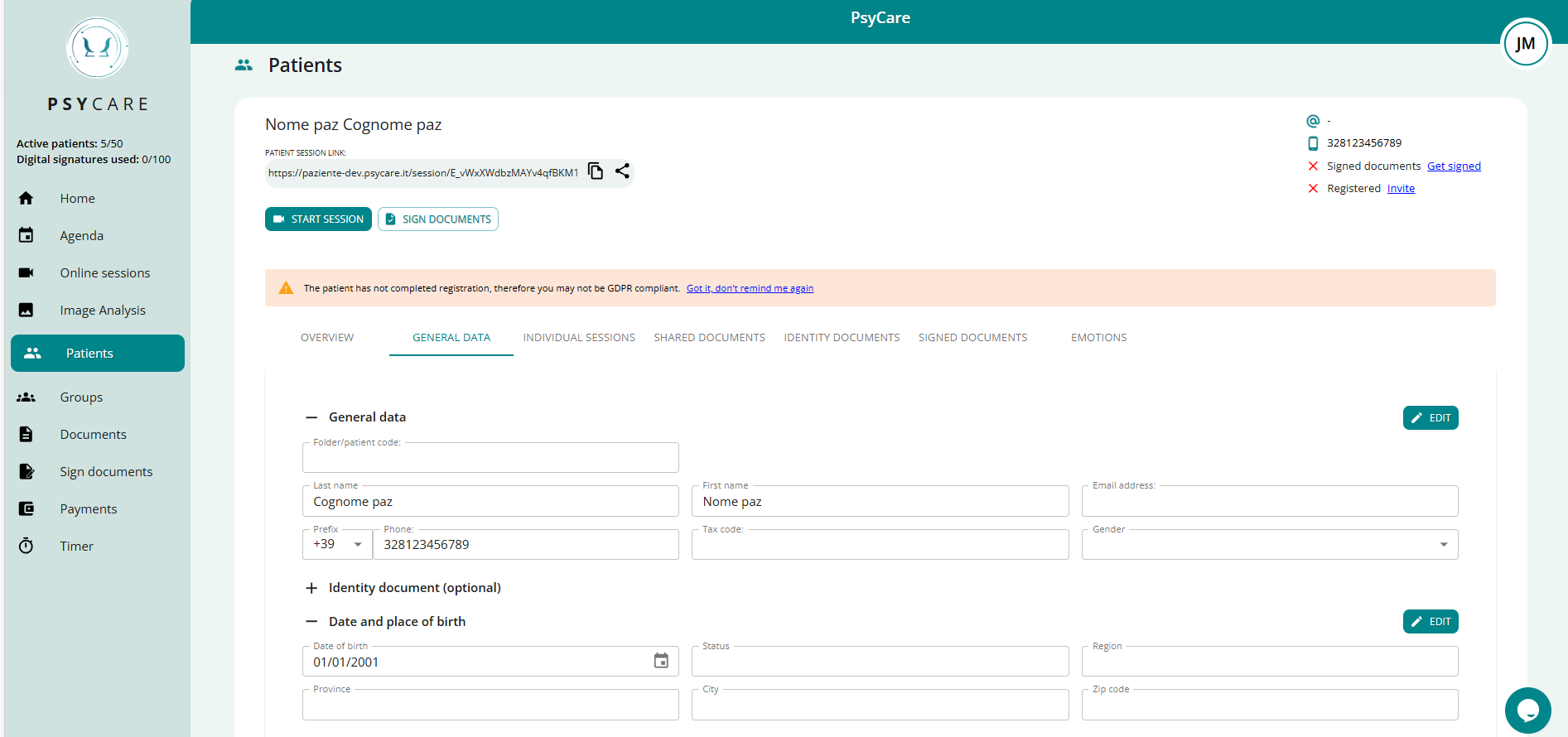
ForTo modify patient data, simply proceed as follows:
- “Open” the section you want to edit by clicking on the respective “+”

- enable data editing by clicking on the respective “Edit”

- Change the data and confirm it by clicking “Save”

The section will update and the patient’s profile will also contain the same updated data.