Receive payments for sessions online
Request theFees for your sessions directly onlineA payment link is sent via email or text message. Patients can pay by credit card or bank transfer from anywhere, without accessing PsyCare.


Enter the amount and confirm: the patient can pay from the link or from their page, by credit card, Google Pay or bank transfer

Decide whether to attach one or more invoices, choose whether to send email or SMS and change the sending message

Choose whether to request payment before or immediately after one or more sessions
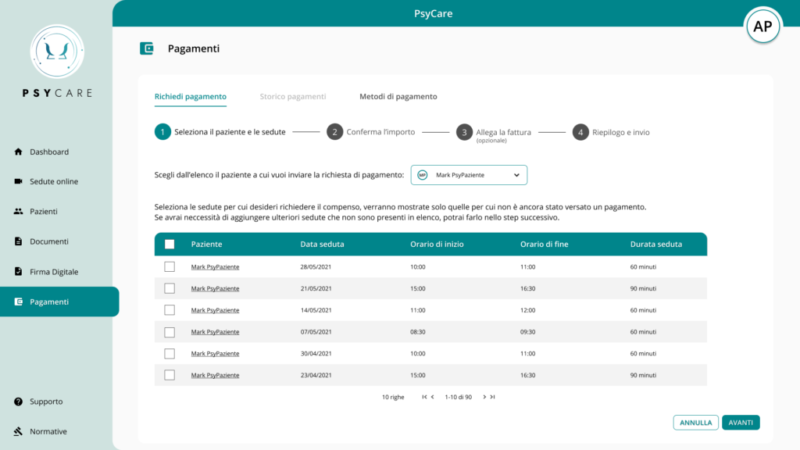
Search and select the patient to whom the payment should be associated
If you prefer, select the sessions you want to charge for: they will appear as a payment summary.
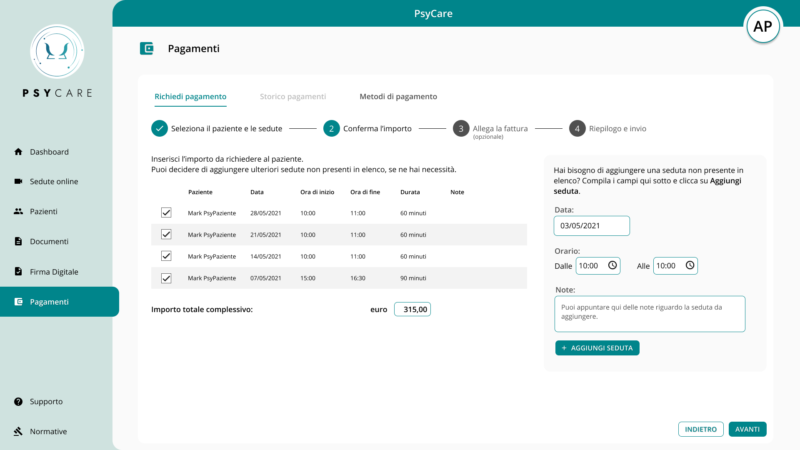
Enter the total fee you want to request: this will be the exact amount the patient will be required to pay.
Do you want to also show in-office sessions or no-shows in the summary? Easily add them to the list.
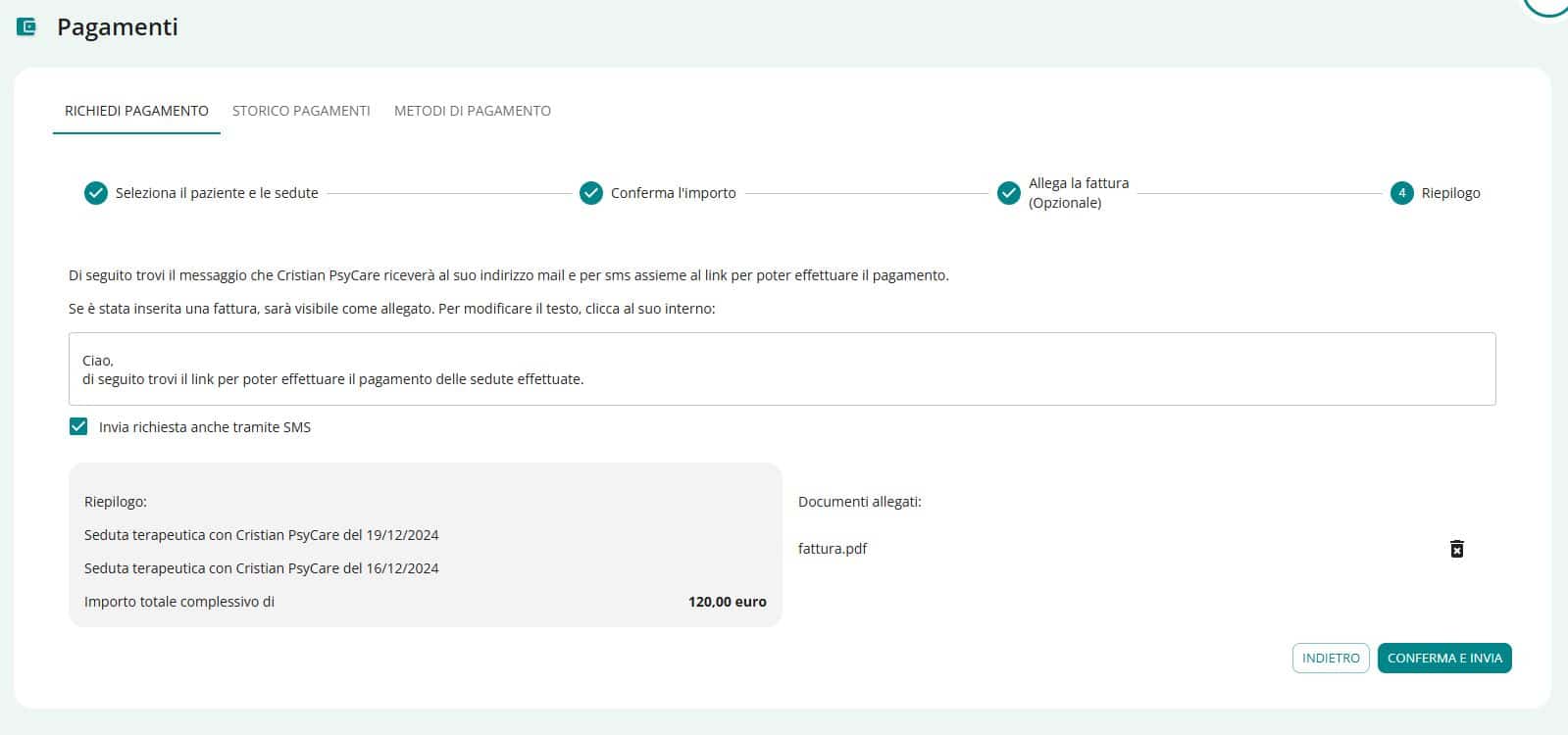
You can attach one or more invoices: they will be sent together with the emails and the customer will always be able to retrieve them from his portal
Set the email message, decide whether to forward it via SMS, and send it: the patient can pay directly from the link they receive, by credit card, G-Pay, or SEPA bank transfer.

PsyCare for the Environment