- Email:info@psycare.it
- WhatsApp: +39 375 703 9065
Follow these steps to resolve screen sharing issues:
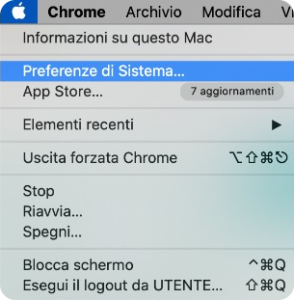
1. Click on  Apple > System Preferences
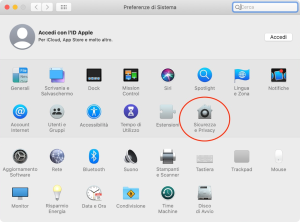
2. Click on Security and privacy
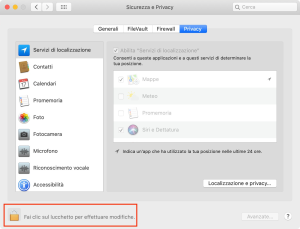
3. Click on the padlock to make changes
4. In the left column, select Screen Recording
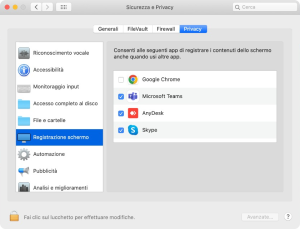
5. Click on the box next to Google Chrome to enable screen sharing on the browser.
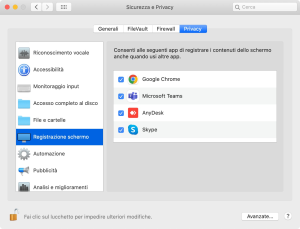
6. Click on the padlock to save your settings and close the Security & Privacy window

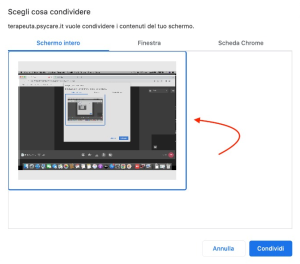
7. In the online session, click on the button Share screen and choose what to show: the full screen, the window, or a Chrome tab. Click on Share to get started.

PsyCare for the Environment