It is advisable to use Google Chrome come browser: Download it from here.
1. Right-click on the link you received via email or SMS from your therapist, then click Copy link address.
2. Open Google Chrome and right-click on the top bar, then click on Paste and go the Visit the copied link to start the session.
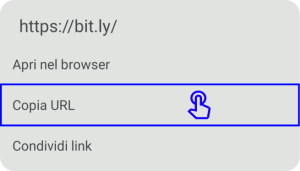
1. Press and hold on the link you received via email or SMS from your therapist, then press Copy URL.
2. Open Google Chrome and hold down on the bar, then press on Paste and on the Enter key on the keyboard, to enter the waiting room.

1. Press and hold on the link you received via email or SMS from your therapist, then press Copia link.
2. Open Google Chrome and hold down on the bar, then press on Visit the copied link to enter the waiting room.
Online Informed Consent with Digital Signature
Virtual Whiteboard and Online Psychotherapy
Psychology in Schools: Between Present and Future
Online Psychology
Online Therapeutic Setting
Psychological Teleconsultation: Best Practices
Online Therapy: Advantages and Disadvantages
Code of Ethics for Italian Psychologists
GDPR and Record of Processing Activities
Personal Data Protection Policy
Guidelines for Telepsychology Services
WhatsApp: +39 375 703 9065
General Inquiries: info@psycare.it
Support: help@psycare.it
FAQ
AI FAQ
Support
PsyCare for the Environment
We offset CO₂ emissions by planting a tree for every activated subscription: learn more.
PsyCare
Ebook
Covid-19